




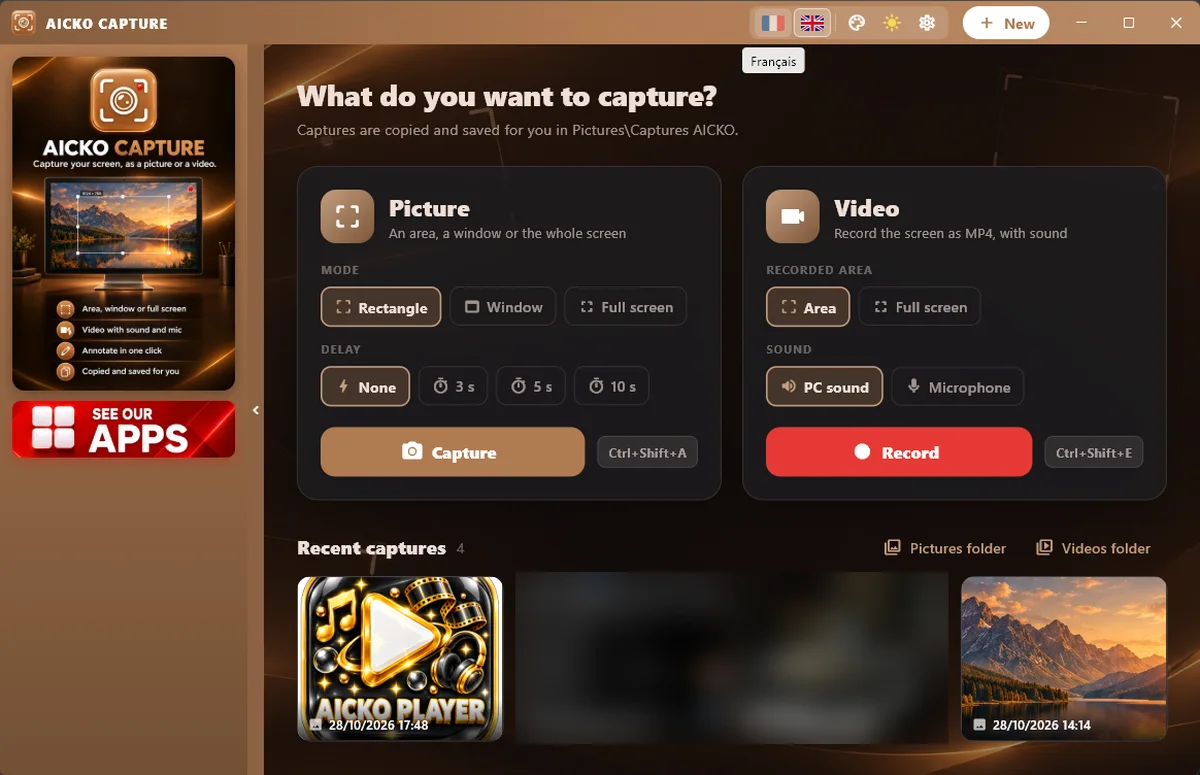
AICKO CAPTURE is a free screen recorder for Windows 10 and 11. It takes still pictures of your screen or records an MP4 video, then lets you annotate, highlight and crop the result in a built-in editor.
It was designed to be simple: choose a zone, press the key and capture. Besides, it needs no account. One hotkey starts the capture, and the program installs from the Microsoft Store in a minute.

Get AICKO CAPTURE
At a glance
- Platform: Windows 10 and 11
- Price: free
- Output: images and MP4 video
- Editor: annotate, highlight, crop
- Computer sound: can be recorded
- Account: none
A free screen recorder for Windows and for explanations
Explaining a method is easier when you can show it. For example, a child can record how they solved a problem on screen, and a parent can capture an error message to show a helper. AICKO CAPTURE lets you choose an exact zone, a window or the whole screen.
What it can do
- Capture a still image of a zone, a window or the screen.
- Then copy the picture to the clipboard or save it with Save as.
- Also record video as MP4, with a red frame around the zone and a bar showing the recording and the time.
- Next, pause and resume a recording.
- In addition, record the sound of the computer.
- Besides, use hotkeys to start and stop.
- Finally, edit images: annotate, highlight and crop.
Record a maths solution
- Install AICKO CAPTURE from the Microsoft Store.
- Then open the problem and choose the zone to record.
- Next, press the hotkey and talk through your reasoning.
- After that, stop the recording and watch it back.
- Finally, share the MP4 with a teacher or a friend, or capture a still of the final answer and circle the key line.
Speaking the steps aloud is one of the best ways to find out whether you really understand.
Where it fits on Planète Maths
Our practice pages are made to be tried, explained and checked. For instance, children can record a short walkthrough of a problem from the math lessons and send it to a grandparent or teacher. Likewise, parents can capture a page of a chapter, highlight the rule and print it for the fridge.
Simple habits that help
First, practise with a ten-second test before a long recording. Then choose a small zone so the viewer sees the important part and nothing else. Also use the pause button when you need to think, and resume when you are ready; the pieces are joined automatically at the end.
In the image editor, highlight the line that matters and crop away the rest. Indeed, a clear still image often explains more than a long message. Remember that a recording can include the sound of the computer, so close private windows before you start.
When to use image and when to use video
Use a still image when a single moment is enough: a result, a diagram, a message. However, use a video when the order of the steps matters, such as how to set up a printer or how to solve a long calculation. Both modes share the same zone selection, so switching costs nothing.
The editor keeps the tools small: pen marks, a highlighter and cropping. Therefore, that is enough for a clear explanation.
Honest limits
The program records the picture and, if you wish, the computer’s sound. It is a capture tool, not a full video editor, so cutting and adding titles needs another program. Besides, it works on Windows 10 and 11 only. Moreover, recording quality depends on your computer and graphics hardware.
Frequently asked questions
Is there a free screen recorder for Windows 10 that saves MP4?
Yes. AICKO CAPTURE is free from the Microsoft Store and records your screen as MP4. You can pick a zone, pause and resume, and include the sound of the computer in the recording.
Can AICKO CAPTURE take screenshots?
Yes. It captures a zone, a window or the whole screen as an image, copies it to the clipboard or saves it. A built-in editor lets you annotate, highlight and crop before you share.
Does AICKO CAPTURE show a recording indicator?
Yes. During video capture a red frame surrounds the recorded zone, and a bar with a recording mark and a timer appears above it, so you always know what is being filmed.
Do I need an account to use AICKO CAPTURE?
No. The program works without an account on Windows 10 and 11. Install it from the Microsoft Store, choose your zone, press the hotkey and start capturing.