
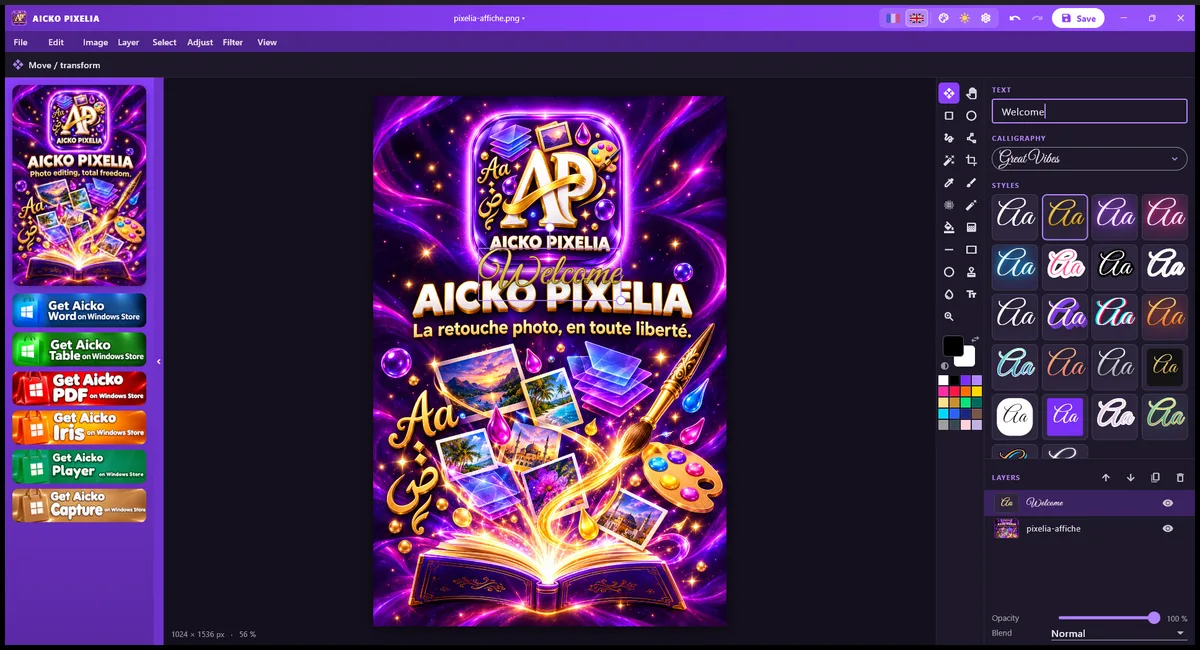
AICKO PIXELIA is a free photo editor for Windows 10 and 11 with layers, filters, cropping, text and calligraphy fonts. You export your work as PNG or JPG, and it needs no account.
It keeps to the essentials, so a child can make a poster for a school project and a parent can touch up a family photo without learning a complicated program. Each tool is within easy reach of the canvas.
Get AICKO PIXELIA
At a glance
- Platform: Windows 10 and 11
- Price: free
- Tools: layers, filters, cropping, text
- Fonts: 18 Latin and 12 Arabic calligraphy
- Export: PNG and JPG
- Languages: French and English
A free photo editor for Windows that invites play
Photo editing is a fine way to learn about shapes, colour and proportion. In PIXELIA you open a picture, add a second layer, move it, change its opacity and watch how the two images blend together. Every change can be tried, undone and tried again, which is how children learn by exploring.
Main tools
- Layers with opacity, blend modes and ordering.
- Filters and image adjustments.
- Cropping and a choice of document size.
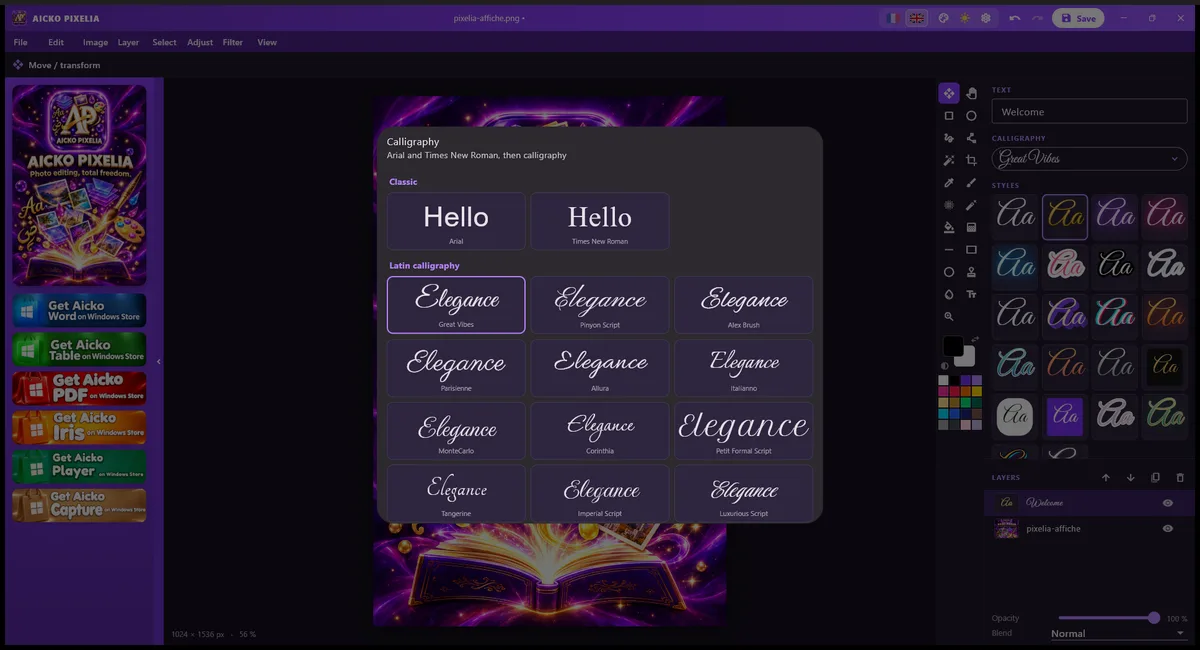
- Text with Arial, Times New Roman, 18 Latin calligraphy fonts and 12 Arabic ones.
- 22 ready text styles, such as neon, gold, sticker, 3D and glitch.
- Export as PNG or JPG.
- French or English interface and a choice of colours.
Make a poster in five steps
- Install AICKO PIXELIA from the Microsoft Store and open a photo.
- Crop it to the size you want.
- Apply a filter or adjust the picture.
- Add a title in a calligraphy font, then try a text style.
- Export as PNG for the screen or JPG for sharing.
Try a poster with a geometric pattern, a graph or a famous number as the title.
Link with Planète Maths
Geometry is easier to enjoy when you can make pictures. Photograph a building, cut out its shapes with layers and label the angles with text. After reading the math lessons, children can illustrate a theorem or a graph for a class display, then check their ideas on the practice pages.
Ideas for a creative afternoon
Make a name card in Arabic calligraphy, a birthday banner with a neon text style, or a class poster that shows a graph on top of a photo. Layers make experiments safe: put the text on its own layer, move it, change its opacity and compare options before you export.
The document size setting lets you choose a format for a screen or for printing. Language and colour settings are saved on your computer, and the program is made to be used without learning a long manual.
What makes it approachable
The program is inspired by simple retouching tools of the past, but the code is original. It keeps only the essentials: layers, filters and adjustments, cropping, document size, text and export. A child does not meet dozens of panels at once, and an adult can finish a task in a few clicks. Two background ideas make learning easier: every effect is visible at once, and nothing is permanent until you export.
Choose the interface colour that suits you, and switch between French and English menus whenever you like.
Honest limits
AICKO PIXELIA is a simple editor. It does not aim to match professional programs with advanced retouching tools. It is for Windows 10 and 11 only. For simply viewing pictures, the companion viewer AICKO IRIS is a better choice, because PIXELIA is designed for editing.
Frequently asked questions
Is there a free photo editor for Windows with layers?
Yes. AICKO PIXELIA is free in the Microsoft Store for Windows 10 and 11. It has layers with opacity and blend modes, filters, cropping, text and export to PNG or JPG.
Does AICKO PIXELIA have calligraphy fonts?
Yes. It includes 18 Latin calligraphy fonts and 12 Arabic ones, plus Arial and Times New Roman. You can also use 22 ready text styles, such as neon, gold, sticker, 3D and glitch.
Which formats can I export from AICKO PIXELIA?
You can export your work as PNG or JPG. PNG keeps sharp edges and transparency, which suits logos and posters, while JPG gives smaller files that are convenient for sharing by email or messaging.
Do I need an account to use AICKO PIXELIA?
No. The program does not ask you to create an account. Settings such as language and colour are stored on your computer, and the program works for ordinary photo editing without a profile.