




AICKO MAIL is a free email client for Windows 10 and 11 that brings all your accounts into one unified inbox. It blocks remote images, counts trackers, lets you schedule messages and sets up most accounts automatically.
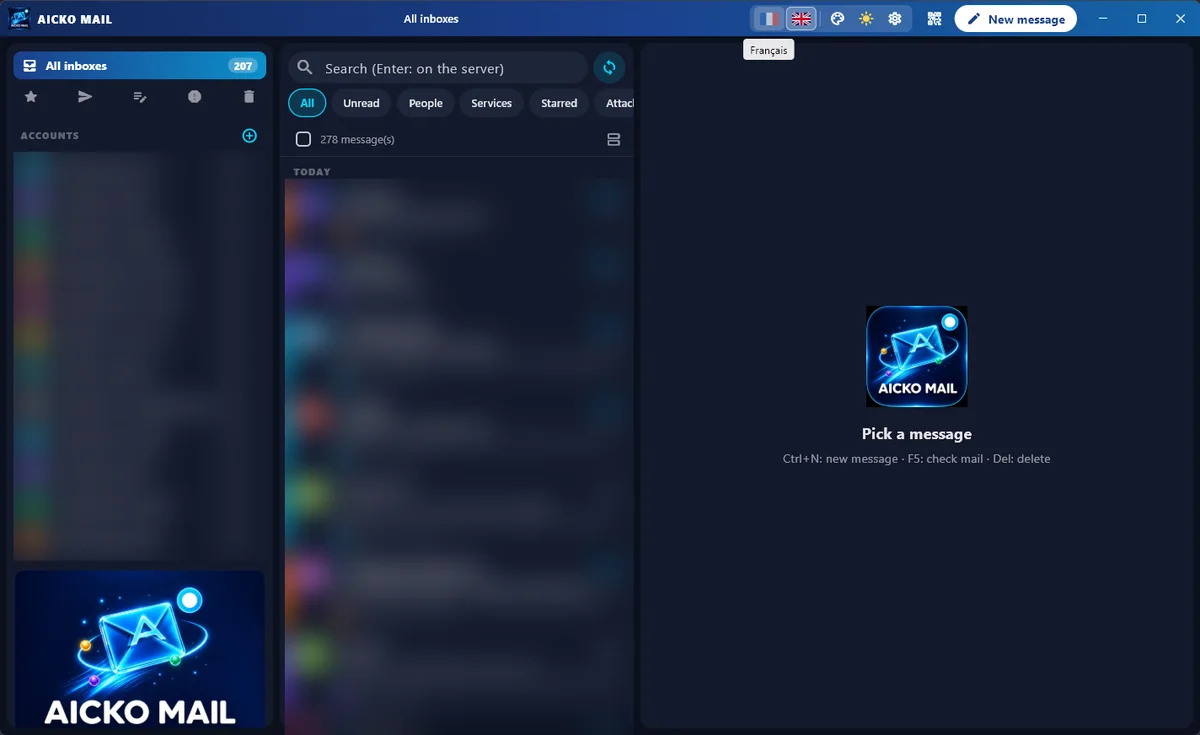
The three-column design shows folders, the message list and the reading pane together, so a busy household can read and answer quickly. It also has a quick reply box under every message.

At a glance
- Platform: Windows 10 and 11
- Price: free
- Protocols: IMAP, POP, SMTP
- Tracking protection: remote images blocked
- Scheduled sending: yes
- Languages: French and English
A free email client for Windows with a calm layout
Most families have several addresses: one for school, one for work, one for shopping. AICKO MAIL puts them in a single place. The left column lists folders and accounts, the middle shows messages with search and filters, and the right shows the message with a quick reply box at the bottom.
Useful features
- Unified inbox across all your accounts, each with its own photo, short name and colour.
- Filters: all, unread, people, services, favourites and attachments.
- Remote images blocked by default, with a count of the trackers found.
- Scheduled sending, undo send and a warning when you mention an attachment but forget to add it.
- Rich writing, with a switch between HTML and plain text, and a signature for each account.
- Automatic detection of mail servers, with support for IMAP, POP and SMTP.
- Import of account details from Thunderbird and classic Outlook.
- Day and night modes, eight colours, French or English.
Set it up in five steps
- Install AICKO MAIL from the Microsoft Store.
- Type your address and let the program find the server.
- Enter your password; it is stored encrypted on your computer.
- Add a second account and look at the unified inbox.
- Create a signature and send a first scheduled message.
Teachers and parents can use scheduled sending to answer in the evening and deliver the message in the morning.
Why it appears on Planète Maths
Planète Maths builds tools for families, and a good inbox is one of them. If a teacher sends a worksheet or a link to our math lessons, you can find it in seconds with the attachments filter. The blocked images also protect children from tracking pixels hidden in newsletters.
Keeping the household inbox calm
Give each account a colour and a short name, such as School or Home, so you see at a glance where a message arrived. Use the People filter to find messages from relatives, and the Services filter to push newsletters aside. Write a signature once for every account, with a logo if you wish, or paste your own HTML code and preview it.
Your passwords are encrypted on your computer. Messages that you delete are moved properly on the server, so they do not linger in the mailbox.
Honest limits
Importing works for Thunderbird and classic Outlook only, and you must retype your passwords. It cannot import from the new Outlook or the Windows Mail app. It runs on Windows 10 and 11 only, and it is not a calendar program. Mobile versions are not part of this listing.
Frequently asked questions
Is there a free email client for Windows with a unified inbox?
Yes. AICKO MAIL is free in the Microsoft Store for Windows 10 and 11. It shows all your accounts in one inbox, with filters for unread messages, people, services, favourites and attachments.
Does AICKO MAIL block tracking images?
Yes. Remote images are blocked by default, and the program shows how many trackers were found in a message. You can decide to load the images only for messages you trust.
Can I schedule an email in AICKO MAIL?
Yes. You can write a message now and choose when it is sent. The program also offers an undo option after sending and warns you if you mention an attachment but forgot to add it.
Can I import accounts from Outlook or Thunderbird?
Yes, from Thunderbird and classic Outlook: addresses and server settings are imported, and you retype the password. Import from the new Outlook or the Windows Mail app is not possible.