



AICKO TABLEUR is a free spreadsheet for Windows 10 and 11 with formulas, charts, templates and support for .xlsx, .xls, .ods and .csv files. It runs offline from the Microsoft Store, with no account and no ads.
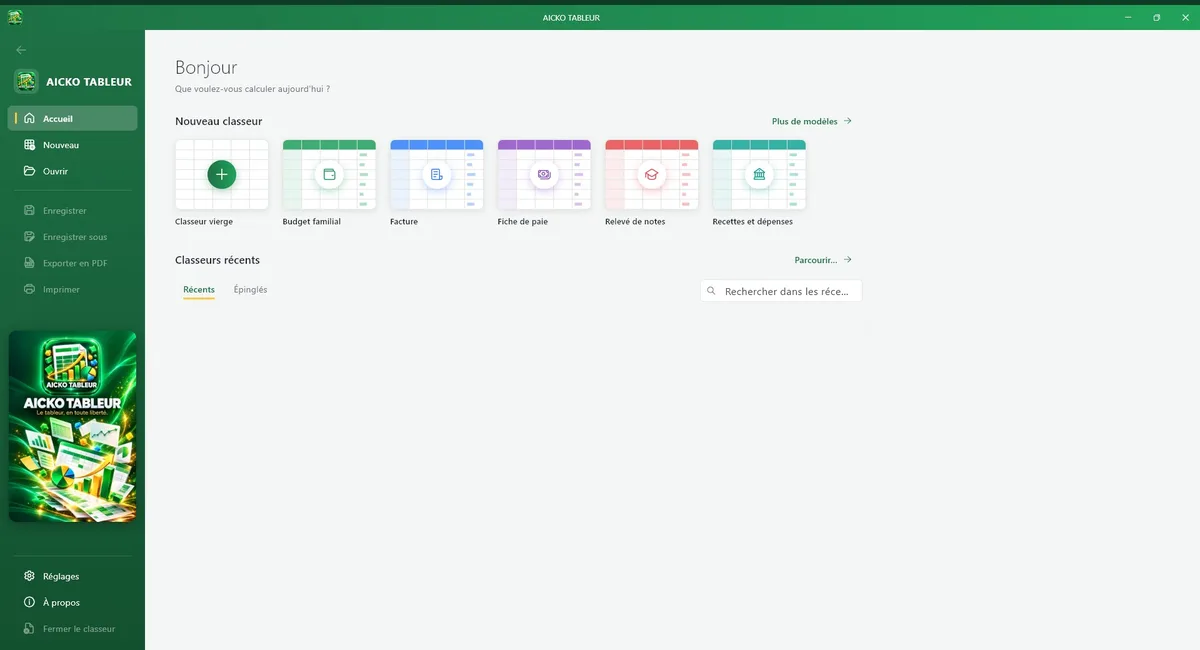
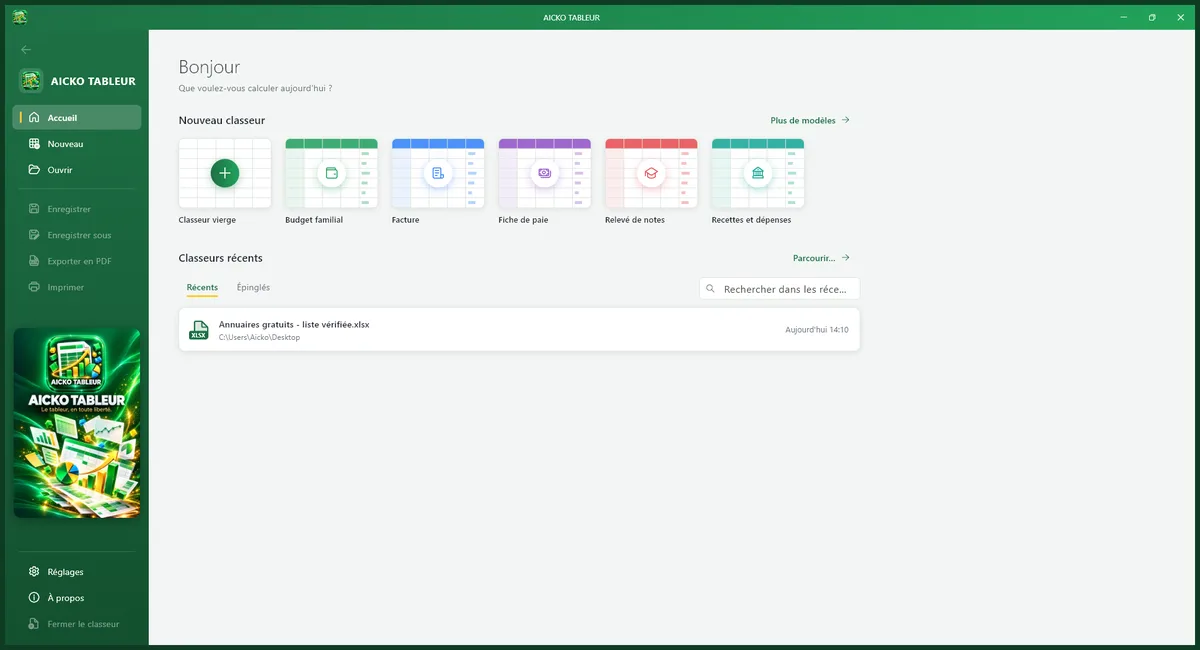
It covers what most people need, such as budgets, marks and lists, in a clear ribbon that looks familiar. Nothing is hidden in complicated menus. The ribbon looks like the one in other office programs.

At a glance
- Platform: Windows 10 and 11
- Price: free
- Files: .xlsx, .xls, .ods, .csv, PDF export
- Charts: histograms, curves, pie charts
- Works offline: yes
- Account: none, no ads
A free spreadsheet for Windows and for curious minds
A spreadsheet is a playground for numbers. Change one cell and every total, average and chart moves. For a child, this is a fast way to see that numbers follow rules. For adults, it is a reliable tool for household accounts and school records.
Main features
- Formulas and functions such as sum, average, conditional tests and lookups.
- Cell formatting: borders, colours, number, currency and date formats, merged cells.
- Sorting, filters and several sheets in one workbook.
- Charts: histograms, curves and pie charts.
- Open and save .xlsx and .xls files, plus .ods and .csv, and export to PDF.
- Templates: family budget, invoice, payslip, grade sheet and income and expense book.
- Ribbon like a desktop program, dark mode, several interface colours, French or English menus.
Track a class or family budget
- Install the program from the Microsoft Store.
- Open the family budget or the grade sheet template.
- Enter your figures and let the formulas total them.
- Sort the list to see the biggest amounts first.
- Add a chart and export to PDF to share it.
The .xlsx format is the default, so friends and teachers can open your file with other spreadsheet programs.
Connection with Planète Maths
Percentages, averages, proportional reasoning and graphs fill our math lessons. A spreadsheet is the best place to try them on data you collect yourself: the temperatures of a week, the goals of a school team, the cost of a holiday. Use the practice pages to check the method, then test the idea on your own numbers.
Small projects to try
Make a table of the week’s temperatures and add a chart to see the highest day. Build a grade sheet with coefficients and compare the weighted average with the simple one. List the prices of a shopping trip and use sorting to find the most expensive item, then filters to show only fruit.
A teacher can share a blank template with the class, and students can fill it in at home and save it as .xlsx. Because the program works offline, the activity does not depend on a school network.
Each project teaches the same thing: numbers become clearer when you organise them.
Honest limits
AICKO TABLEUR covers the essentials, not every advanced feature of a professional spreadsheet. It does not run macros. Function names follow the French programme interface, so English users may need a short list of equivalents. It requires Windows 10 or 11, and a smaller Android app is available separately for phones and tablets.
Frequently asked questions
Is there a free spreadsheet for Windows 10 that opens Excel files?
Yes. AICKO TABLEUR is free in the Microsoft Store, and it opens and saves .xlsx and .xls files, plus .ods and .csv. You can also export a sheet to PDF without an account.
Can AICKO TABLEUR make charts?
Yes. It draws histograms, curves and pie charts from your cells, so students can turn a table of marks or a family budget into a picture and see patterns that are harder to spot in plain numbers.
Does AICKO TABLEUR work offline?
Yes. The program works fully offline and keeps your workbooks on your computer. It needs no account and shows no ads, so you can use it for family accounts without sharing data.
Does AICKO TABLEUR include templates?
Yes. You can start from a family budget, an invoice, a payslip, a grade sheet or an income and expense book. These templates save time and show how formulas are organised in a real sheet.